Cloud & Sky Photoshop Brushes
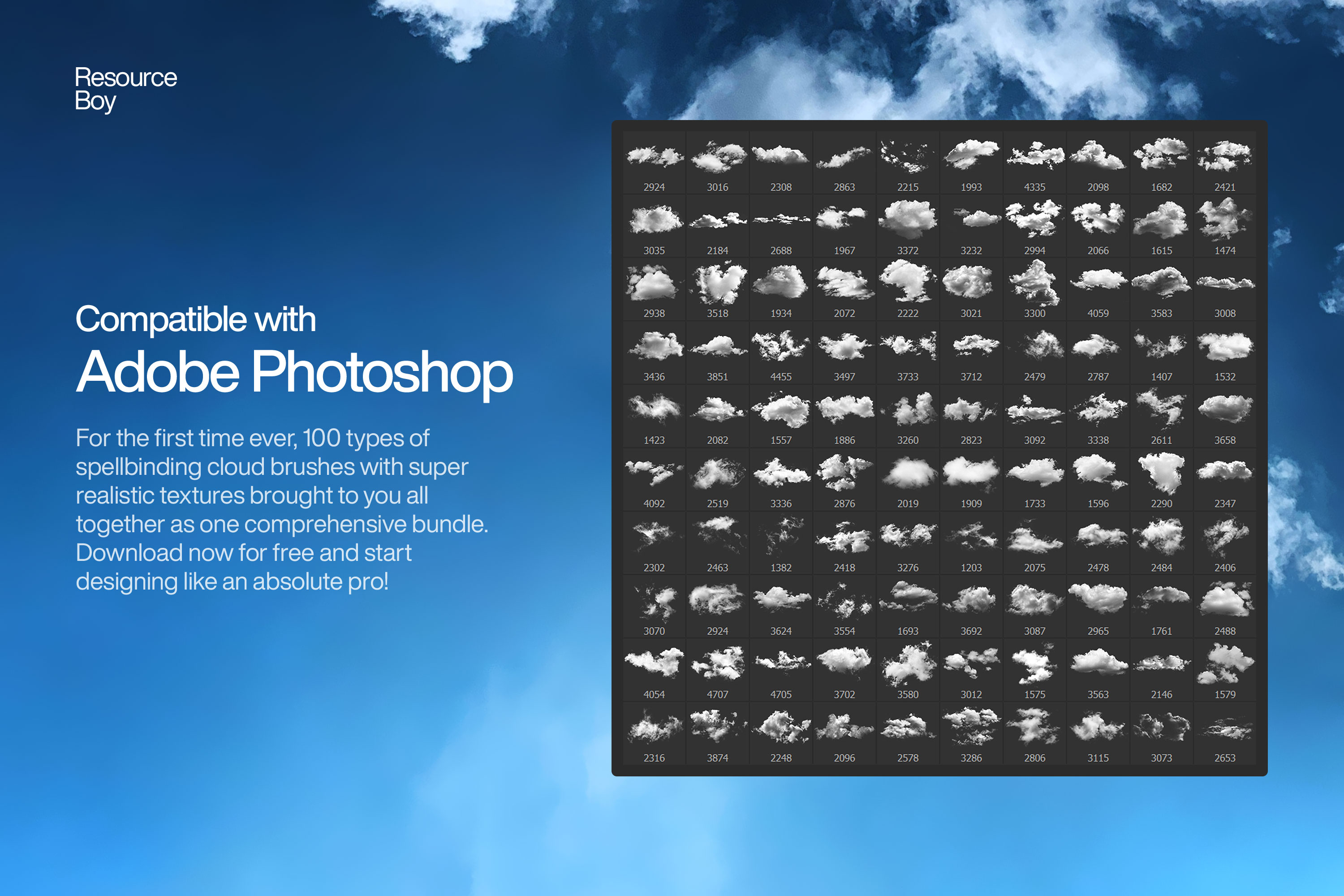
Realistic cloud and sky Photoshop brushes. Fluffy clouds, storm clouds, and dramatic sky effects for photo compositing.
Cloud and sky brushes allow you to add dramatic, realistic skies to any photograph or digital artwork in seconds. These brushes range from soft, fluffy cumulus clouds and wispy cirrus streaks to dark, roiling storm formations and eerie fog banks that roll across the horizon. Sky replacement is one of the most commonly requested edits in photo retouching, and cloud brushes give you complete creative control over the atmosphere you build — without relying on real sky photographs. For digital painters and concept artists, cloud brushes are foundational tools for setting mood, time of day, and weather in a scene.

About Cloud & Sky Photoshop Brushes
Cloud and sky brushes allow you to add dramatic, realistic skies to any photograph or digital artwork in seconds. These brushes range from soft, fluffy cumulus clouds and wispy cirrus streaks to dark, roiling storm formations and eerie fog banks that roll across the horizon. Sky replacement is one of the most commonly requested edits in photo retouching, and cloud brushes give you complete creative control over the atmosphere you build — without relying on real sky photographs. For digital painters and concept artists, cloud brushes are foundational tools for setting mood, time of day, and weather in a scene.
Tips for Using Cloud & Sky Photoshop Brushes
- Paint clouds in white or very light grey on a blue sky layer, starting at 20–40% opacity and building up the form gradually
- Shape the cloud form by working from the edges inward — lighter at the top, slightly darker and flatter at the base for cumulus
- Add depth by making distant clouds smaller, slightly grayer, and lower in the composition
- For dramatic storm clouds, darken the undersides with a dark blue-grey layer in Multiply mode
- Blur the cloud layer slightly (Gaussian Blur 1–3px) to integrate it naturally with the rest of the sky